
Verify before you deploy.
Updates that don’t break client sites.
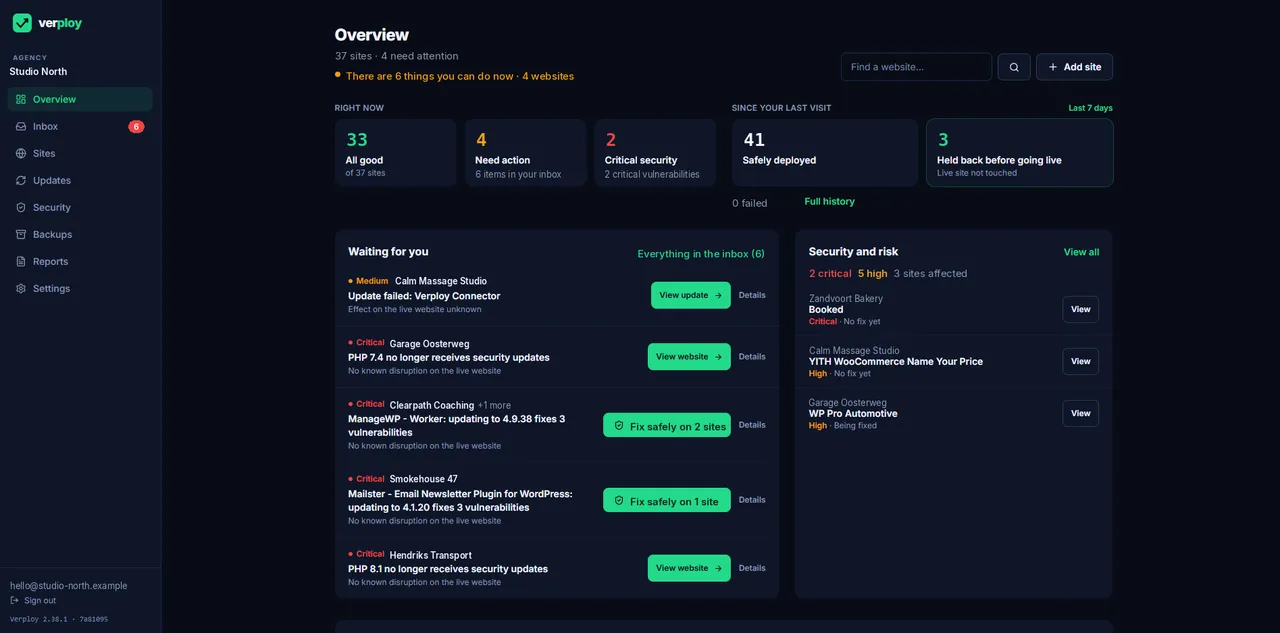
Verploy tests risky WordPress updates on a copy first and checks every update after it goes live, with automatic rollback. Built by an agency, for agencies.
New: holes shielded before the maker fixes them, live now. Coming in December 2026: Ctrl+Z for WordPress, to undo just the damage.
- 3 months free, up to 40 sites
- Every feature, on every plan
- No credit card
- No hosting logins
- Backups in the EU
Founding 30: the first 30 agencies keep 40% off, for life. How it works →
Works with the hosting your clients already use · Forms and checkout tested for WooCommerce, Contact Form 7, Gravity Forms and WPForms
Built by an agency, for agencies
Made by someone who maintains client sites himself.
Verploy is built by Martijn van den Berg, founder of EM Hosting & Design, together with a small team of developers. Martijn looks after dozens of WordPress sites for his own clients. Updates kept breaking sites and he was always behind, so he built the tool he needed.
Verploy runs on his own client sites every day. No black box: every action is visible, and every update can be rolled back.

What you can check yourself
- Public changelog: every release since 24 September 2026
- Status page with uptime history
- How Verploy keeps sites safe: the rules every update follows
- In the app: a step log for every update run
How it works
Test before. Check after. Roll back if needed.
Every update is checked, and the risky ones are tested on a copy first. You only hear from Verploy when a decision is needed.
Step 1
Test on a copy
Themes, page builders, shops and major versions run on a private copy on your own server first: every page on desktop and mobile, forms and checkout included. If it fails, the update is held back and your live site is not touched.
Step 2
Check after going live
Right after an update goes live, Verploy compares the site with how it looked seconds before. Small, proven plugin updates go straight to this step, with a snapshot taken first.
Step 3
Roll back and record
If something breaks, Verploy restores files and database from the snapshot taken just before, and checks the pages again. You see what happened and what to do, by email, Slack or webhook.
Checks cover the pages and flows you select. Full details on Safe updates and Trust & data.
Plays from YouTube once you click. Watch on YouTube
Before you ask
Three things agencies want to know first.
No migration, no passwords, no lock-in. The details are on Trust & data; here is the short version.
Works with the hosting you already use
Verploy runs on your clients’ existing hosting. The test copy is built on their own server and removed after each run, so nothing has to move. How it works →
No passwords, no hosting logins
You install one small connector plugin and pair it with a one-time code. Verploy never asks for WordPress passwords or hosting accounts, and every request is signed. What we can access →
Stop whenever you want
No contracts that trap you. Deactivate or remove the plugin and Verploy can no longer reach that site; your sites keep running as they are. Leaving is easy →
Why agencies switch
We think the big tools get a few things wrong.
Here is what we do differently.
Checked before it goes live
Every update is checked, and the risky ones are tested on a copy of the site first.
Rolled back automatically
If a check fails after an update, Verploy restores the snapshot taken just before and checks the pages again.
Ctrl+Z, coming December 2026
Undo just the damage of one change, instead of restoring a whole backup. Not in the app yet.
A European company
Verploy is a European company. Backups are stored in the EU.
The difference
Choose the update workflow your agency needs
Verploy combines update decisions with checks and recorded outcomes. Existing tools also offer safe-update features. Compare the route, test scope and recovery evidence in a pilot. See the ManageWP comparison.
| Traditional maintenance | With Verploy |
|---|---|
| Review every update by hand | Verploy analyses each update |
| Update live, then check manually | Test on a copy when the risk calls for it |
| Click through the site to check | Visual checks on the selected pages, desktop and mobile |
| Fix problems yourself, under pressure | Recovery attempts with a recorded outcome |
| Chase vulnerability lists | One decision per vulnerability, across sites |
| Lots of notifications | Review problems and decisions in the dashboard |
| Write client reports by hand | White-label reports, sent automatically |
Pricing
From your first client site to 120 and beyond.
Start free. Grow into a plan when your portfolio grows. Every plan includes everything; plans differ only in the number of sites.
Free
1 to 3 sites
€0
No credit card, no time limit
Try Verploy on your own or a client’s sites. Same checks as every paid plan.
Start freeStudio
Up to 15 sites
€49 / month
€3.27 per site
For studios that maintain client sites every week.
Choose StudioScale
Up to 120 sites
€249 / month
€2.08 per site
For large portfolios and managed WordPress providers.
Choose ScaleEnterprise
More than 120 sites
Custom
Fixed or custom price
For large agencies and hosting providers. Everything in Scale, direct contact with the founder.
Talk to usFounding 30: the first 30 agencies that upgrade keep 40% off, for life, including custom prices above 120 sites. Need more than 120 sites? Contact us, we respond within one business day.
Built for agencies of every size
The same platform for your first site and your hundred-and-twentieth.
No feature tiers, no add-ons. What a large agency gets is what a small one gets.
And the risky ones are tested on a copy first, with automatic rollback if something breaks after going live.
For your team and for the white-label reports you send to clients.
Encrypted before they leave the site, plus a copy in your own storage if you want one.
Who did what and when, across all sites, exportable to CSV.
From the founder
We built Verploy for our own agency first.
I’m Martijn van den Berg. At EM Hosting & Design we maintain WordPress sites for our clients, and the updates were never the hard part — not knowing whether the site still worked afterwards was. So we built Verploy to test risky updates on a copy first, to check every update after, and to trigger rollback when the live checks fail. We run it on our own client sites, every day, before we ask you to trust it with yours.
Martijn van den Berg
Founder, Verploy · EM Hosting & Design, Europe
Start free: 3 months, up to 40 sites, every feature. No credit card. After that, keep 3 sites free or pick a plan. The first 30 agencies keep 40% off, for life.
From the blog
From the team that runs Verploy every day.
Guides, lessons from our own client sites, and one release a month. Here is what changed, and why.
Download any backup, or keep one for a year
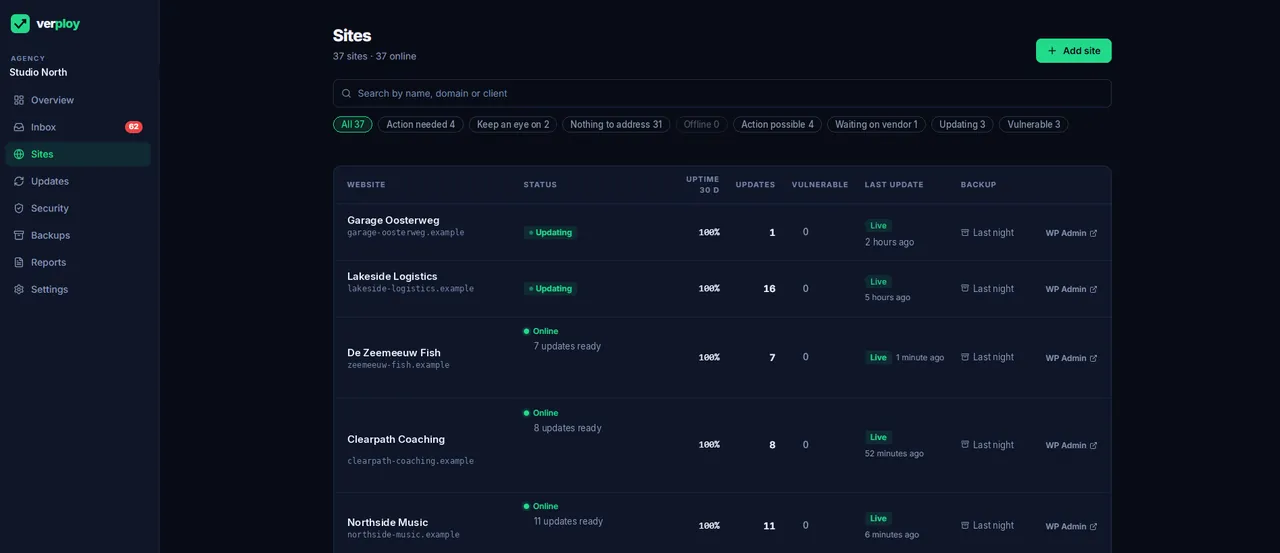
A backup only helps if you can reach it when you need it. Verploy backs up every connected site every night, and since 2.43 you can also download any…
How to restore a WordPress site from a backup (without losing orders)
Pick the right backup, back up the broken site first, keep the orders that came in since, and check the result before you tell the client…
Theme risk: why a vulnerable theme needs its own check
A vulnerable plugin has two quick ways out: update it, or switch it off for a while. A theme in use has neither. The whole site depends on it…
Spend less time checking WordPress.
Let Verploy do the maintenance work.
Free on up to 3 sites. No credit card. The first 30 agencies keep 40% off for life.